.png)
Relixir Usage Guide
This guide explains how to actually use Relixir week to week after you’ve finished the initial onboarding checklist.
If you haven’t gone through onboarding yet, start with the in‑app checklist and these articles:
- Onboarding Step: Connect Google Analytics Relixir
- Onboarding Step: Brand Guideline Setup Relixir
- Onboarding Step: Create your First Agent Relixir
- Onboarding Step: Connect CMS Relixir
- Onboarding Step: Review and Deploy your First Blog Relixir
- Onboarding Step: Install Visitor ID Snippet
1. What Relixir Does (Conceptual Overview)
Relixir is a GEO (Generative Engine Optimization) platform that helps you:
- See how AI search engines + Google see you: Executes buyer prompts across ChatGPT, Perplexity, Gemini, etc. and then tracks rankings, mentions, citations, sentiment, and traffic across AI + Google.
- Find gaps and opportunities: Spot high‑intent prompts/keywords where your competitors are winning and your visibility is low.
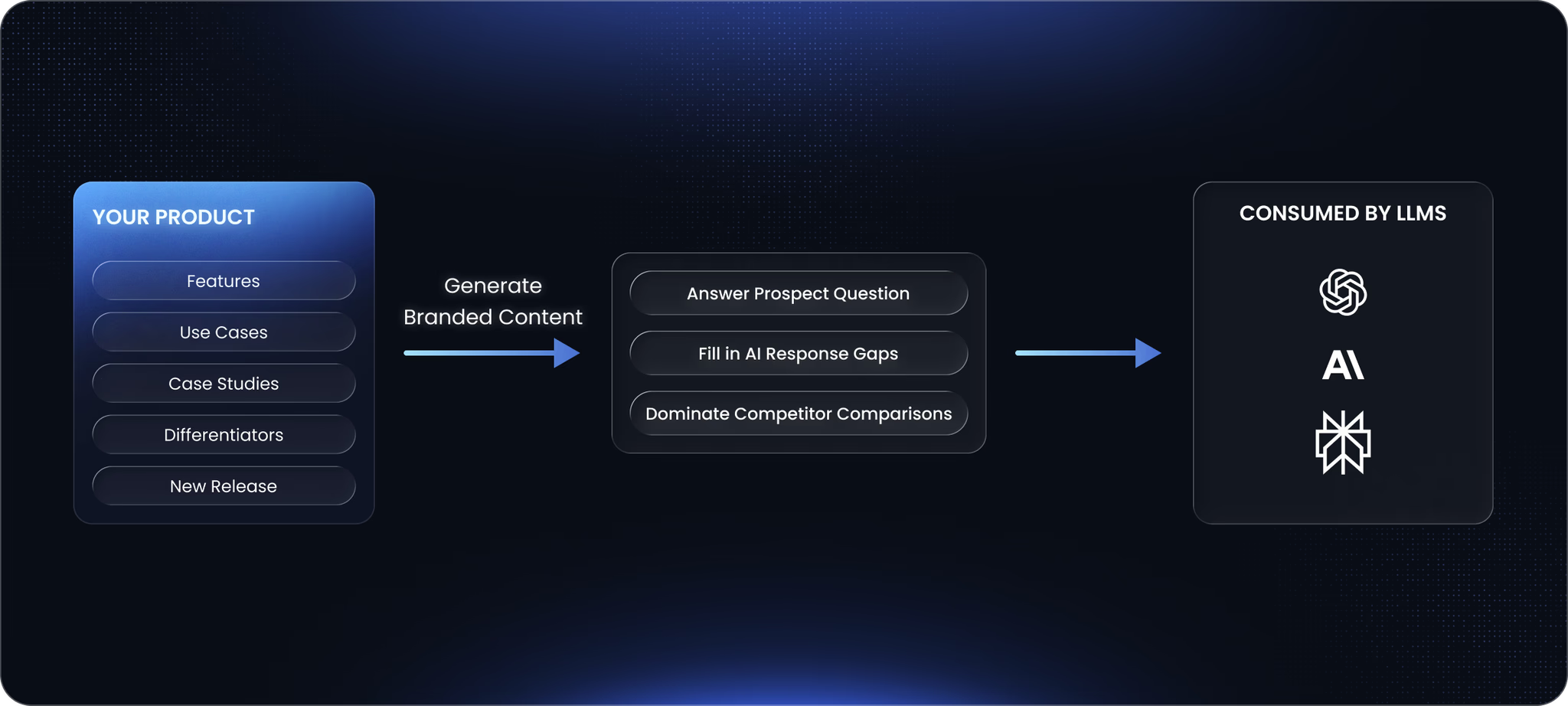
- Generate and refresh GEO‑optimized content: Deep‑research agents propose topics, draft blogs, and suggest refreshes tied to specific keywords or competitors.
- Publish at scale with one‑click CMS deployment: Integrations (e.g. Framer Webflow, Wordpress, etc.) or a custom blog page let you deploy content directly from Relixir.
- Tie it to outcomes
- Track traffic, visibility increase, AI citations, and (optionally) inbound leads from Relixir content.
- Visitor ID snippet de‑anonymizes visitors and attributes AI‑driven traffic and demos back to Relixir‑generated content.
At a high level, Relixir is an engine that runs this loop:
AI Search Report → Discover High Quality Opportunities → Create Targeted Content → Publish → Track Impact → Improve Strategy & Refresh Past Content
2. Before You Start Recurring Usage
This guide assumes you’ve already done the initial setup. Before relying on the weekly flow, you should have:
- Analytics connected: Search Console + Google Analytics (recommended) to track traffic + Visitor ID snippet if you care about lead-level attribution (recommended)
- Brand Guidelines & Knowledge Base configured: Company info (description, ICPs, differentiators), Source and competitor rules (if any), Brand voice / style rules (if any)
- At least 1–3 Agents created
- CMS wired (or a publishing process defined): Either via direct CMS integration or a manual flow (e.g., exporting Markdown/HTML and pasting into your CMS)
- At least 1–2 blogs deployed
- So you’ve confirmed end‑to‑end flow works
3. Recurring Usage
Relixir is designed to be used at least on a weekly cadence, but more frequent usage pays off.
Every week:
- Your AI search monitoring runs
- Your active Agents run
- You get email and/or in‑app notifications when:
- New reports are ready
- New topics, draft blogs, and content refreshes are available
Your job each week is to:
- Check your AI Search Report
- Review each Agent’s suggested actions
- New Topics / Blog Drafts
- Content Refreshes
- Deploy content through your CMS / publishing flow
- Log any new insight from the week (3.2)
- Sales calls
- Customer feedback (“we didn’t see you for X”)
- New competitor moves or product releases
- Use that insight to spawn custom Agent actions (see below).
- Review performance from Agent’s and make any appropriate strategy updates
That’s the loop. The next sections just give a bit more color on how to do each part well.
3.1. How To Think About Agents
Two ways to think about Agents:
- Think of Agents as workers assigned to specific GEO goals.
- Think of Agents as campaigns: you start them, let them run, then rotate based on ROI.
For most teams, a good starting point is:
- 3-4 active Agents at a time
- Each focused on a different surface, for example:
- Low‑performing but high‑intent keywords (your “low‑hanging fruit”)
- A key competitor you’re losing deals to
- A new product or feature you just launched
- A new market/region you’re entering
Each Agent:
- Runs weekly
- Proposes topics & drafts blogs (if auto-approve is false, )
- Suggests refreshes for content
- Tracks performance relative to its goal over time
You’ll use these Agents as your weekly action feed.
Docs: Agents
3.1.1. Agent FAQs
How Many Blogs to Deploy? (Content Volume)
- Relixir works best when you’re publishing consistently.
- Recommended target once you’re ramped up: ~20 Relixir blogs deployed per week
- If your domain is new or you haven’t been publishing much yet, ramp up:
- Week 1: ~5 blogs
- Week 2: ~10 blogs
- Week 3: ~15 blogs
- Week 4+: ~20 blogs/week
- You can scale this up/down based on:
- Your plan limits
- How aggressively you want to expand AI search coverage
- Your existing content strategy’s volume / website’s domain authority
How long to run agents?
- Let an Agent run for 1–2 months before judging it.
- Look at:
- Whether its blogs are getting impressions & traffic
- Whether its target prompts/keywords are improving in AI search
- The quality and relevance of its proposed topics
When to adjust or replace an Agent?
- If an Agent consistently proposes low‑value topics, or its target metrics are flat while others improve:
- Tighten or revise its goal & guidelines
- Or replace it with an Agent focused on a fresher / higher‑impact goal
- After 2–3 months of strong performance for a given goal:
- Set the Agent’s Topic Count to 0 (so it stops creating new topics)
- Keep Refreshes on, so it continues maintaining the content it already “owns”
- Spin up a new Agent for a new initiative
3.2. Using Your Domain Knowledge
Relixir is strongest when you feed it insights only you have.
Good sources of insight:
- Sales calls (“we looked up X and saw competitor Y”)
- Lost deals feedback
- Things prospects mention they couldn’t find content on
- New research, standards, or best practices in your space
- Events or launches specific to your niche
How to use that:
- Add (or refine) Brand Guidelines & Knowledge Base so Relixir knows:
- Your ICPs, differentiators, and “non‑negotiable” messaging
- What sources to trust/avoid
- How you want competitors treated
- Use custom Agent actions:
- After a meaningful call or event, add a quick note to a relevant Agent and trigger new topics/blogs.
Warning: If you cram every piece of micro‑insight into guidelines, you can oversaturate and make Agents too narrow. Focus on:
- Big patterns you want always respected → Brand Guidelines / KB
- Timely, opportunistic insights → Agent custom actions
Docs: Brand Guidelines, Agents