.png)
Track Impact of Blog Posts / Relixir's Actions
After deploying blog posts and using Relixir, there's multiple ways/places to track the impact to what matters to you. They boil down to 4 categories:
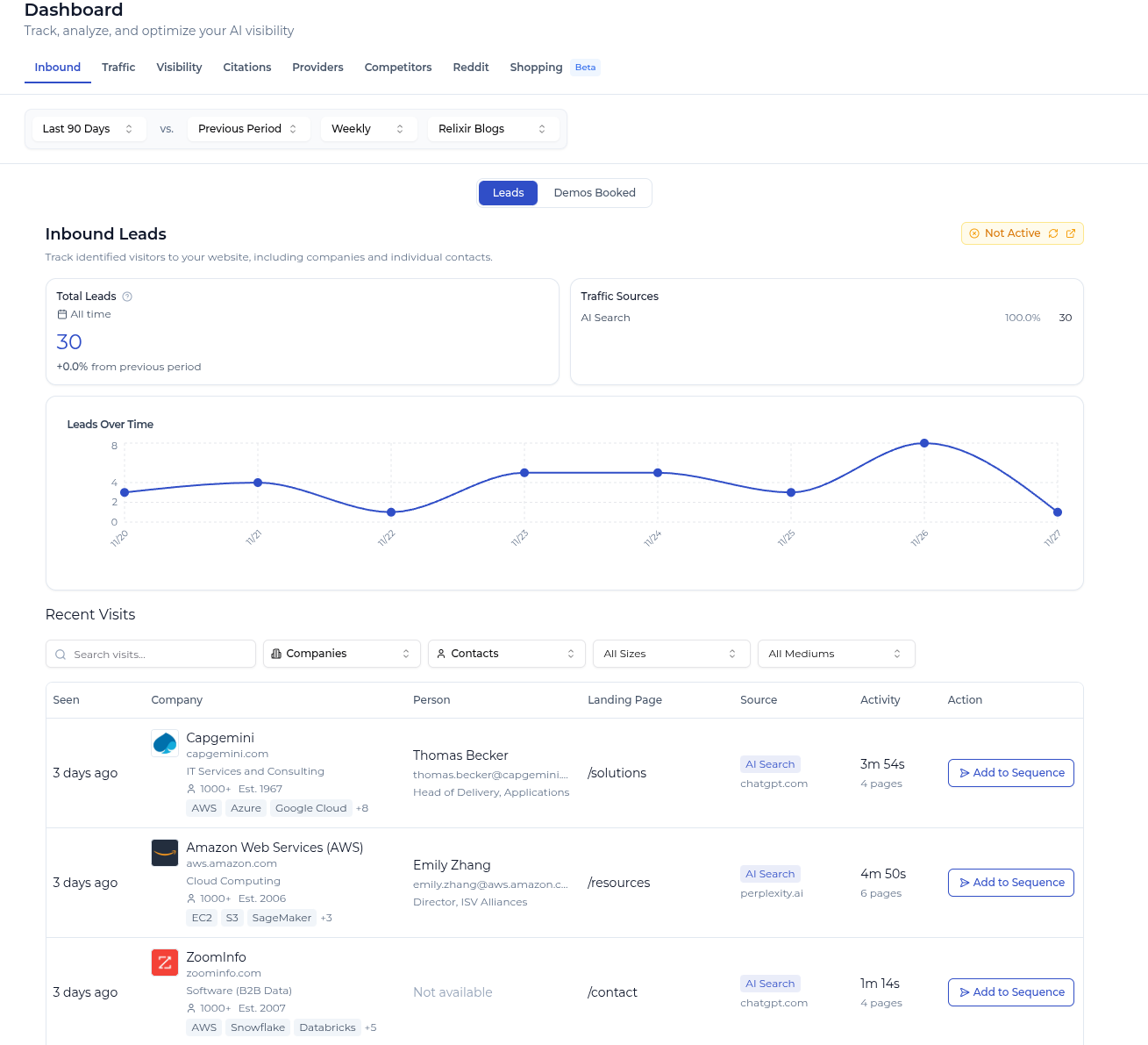
- Inbound Leads: Using visitor id, and our add-on email sequencing service. We can convert website visitors from AI search, directly into demos booked for your company.
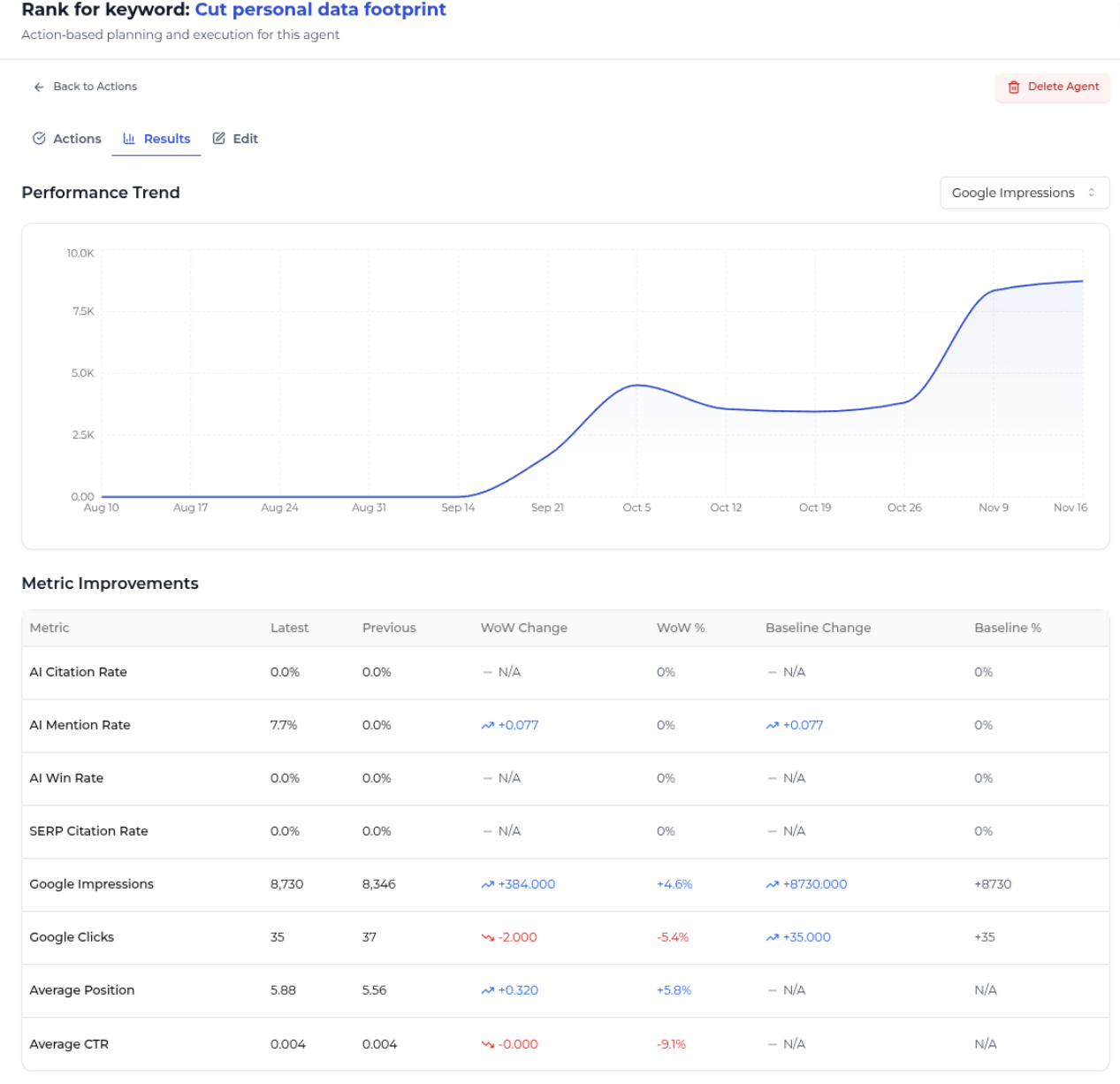
- Agent Performance: Track the improvement, specifically based on the goals you set by creating Agents tied to specific keywords & Competitors
- Blog-Specific Performance: Overall impact of the deployed blog posts — across both Google & AI Search
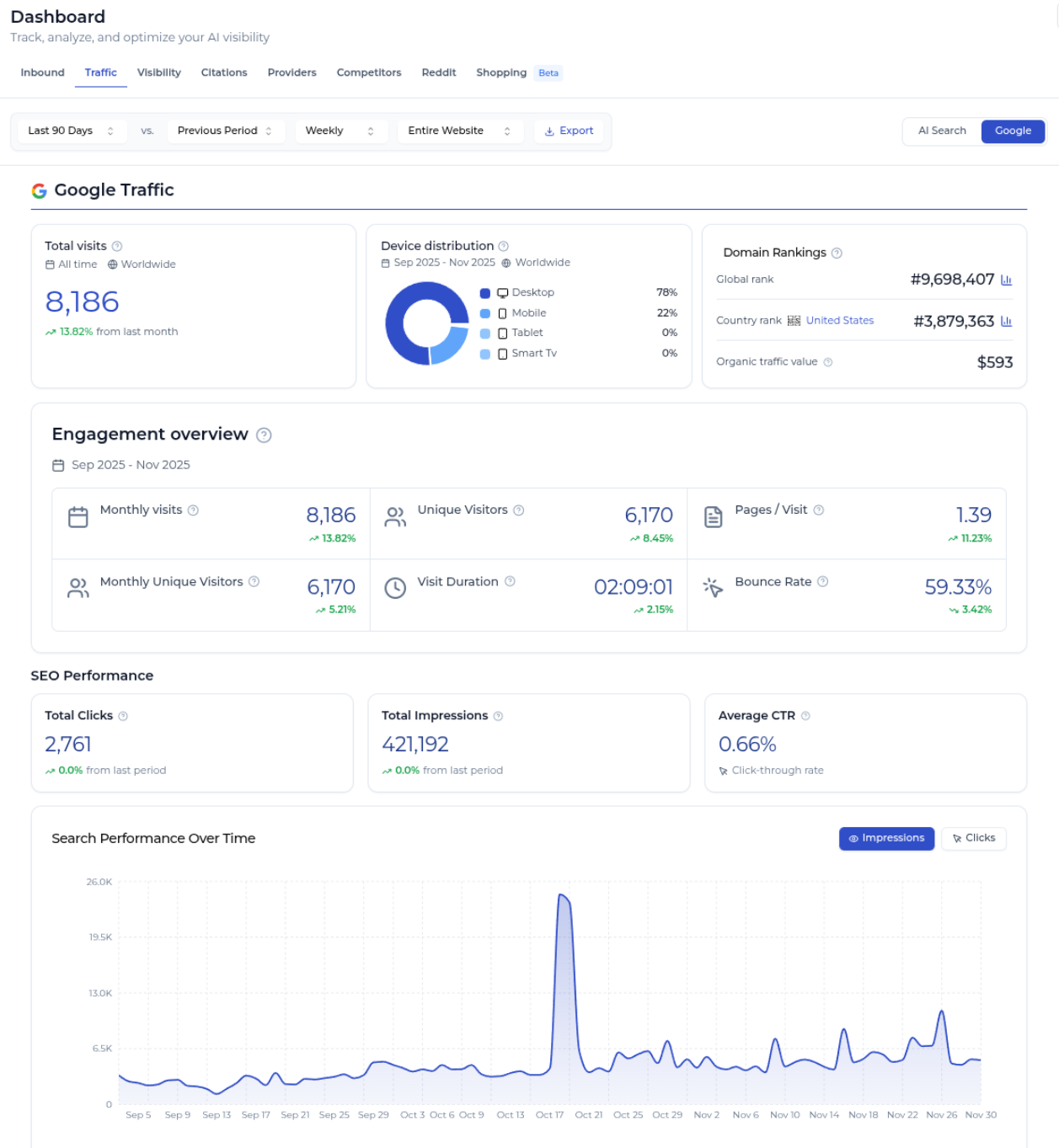
- AI + Google Search Traffic: Birds-eye view on traffic trend to website overall & from AI search
Inbound Leads
On the Dashboard page:
- Visitor-ID: With Visitor-ID enabled and setup on your website, you can see exactly the identified visitors that are coming to your site.
- At the top, you can narrow the filter to solely look at people who came to Relixir's blog content or AI Search
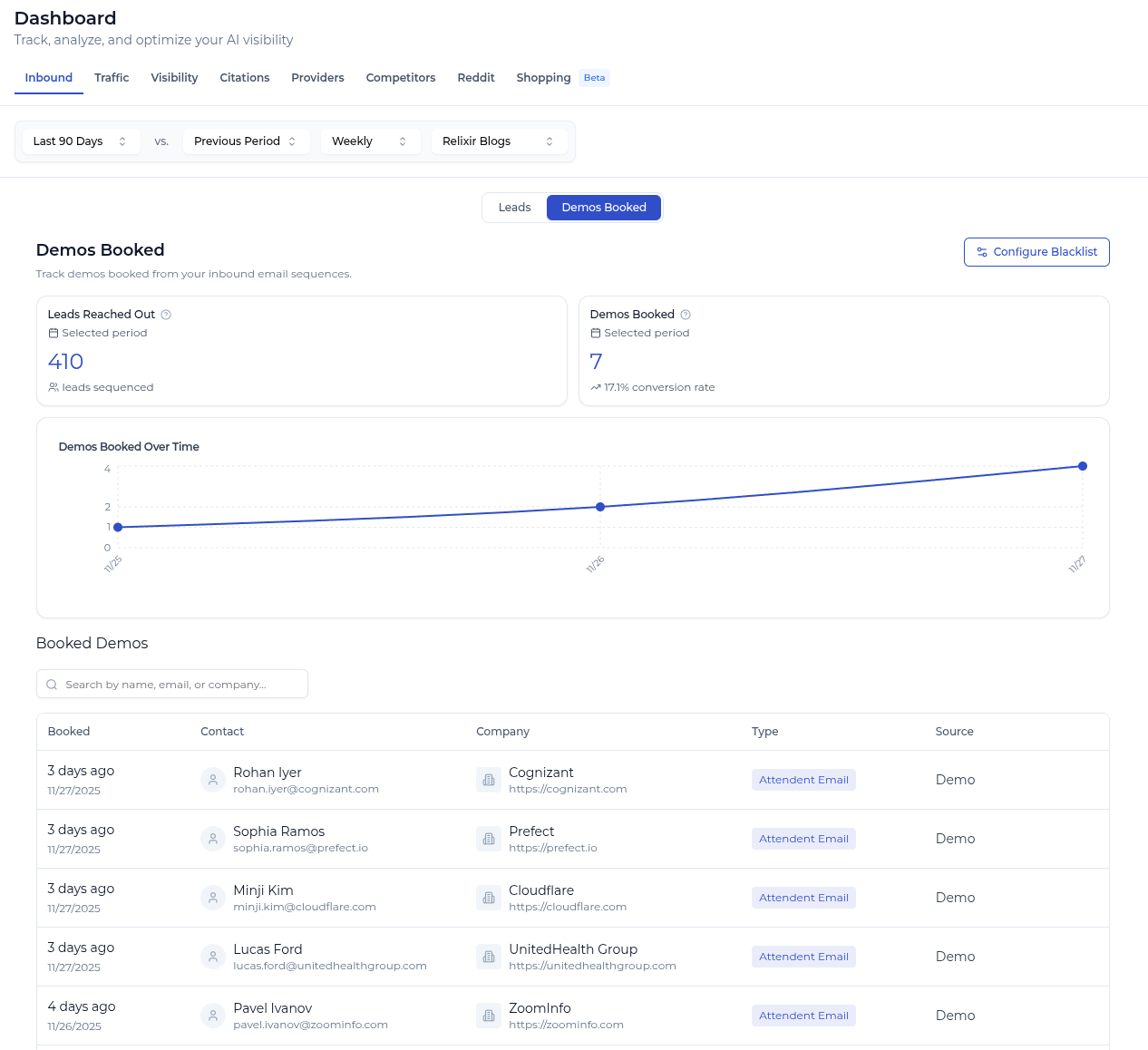
- Demos Booked: If you are using our inbound email sequencing functionality, then you can also see exactly how many demos we've booked for you (if you aren't using it, but are interested in using this, book a call here)
Agent-Specific
- Agents page — Shows KPI improvement specificallys directed around the Agent's goals

- Click into individual Agent page > Results tab — Shows granular KPI improvement for the selected Agent's actions and goals
Blog-Specific
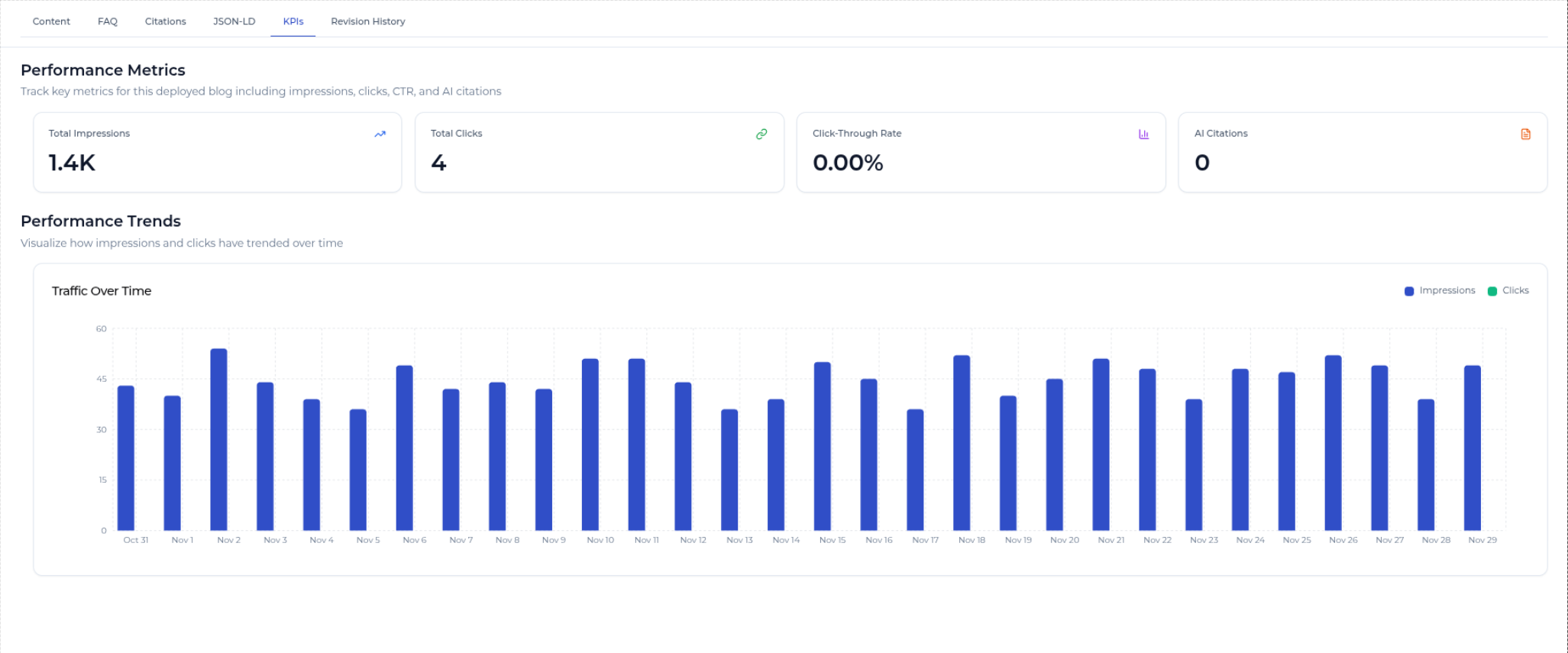
- Blog Proposals page > Existing Blogs tab — Shows a list of all your deployed blogs, along with their performance coming from Google Search Console integration (impressions, clicks, ctr, AI citations)

- Blog Proposals page > Result Analysis tab —
- Prompts Analysis Tab: Shows a table of the keywords & prompts our blogs have been impacting

- Metrics & Trends Tab: Shows a graph of the AI citations of our blog posts over time
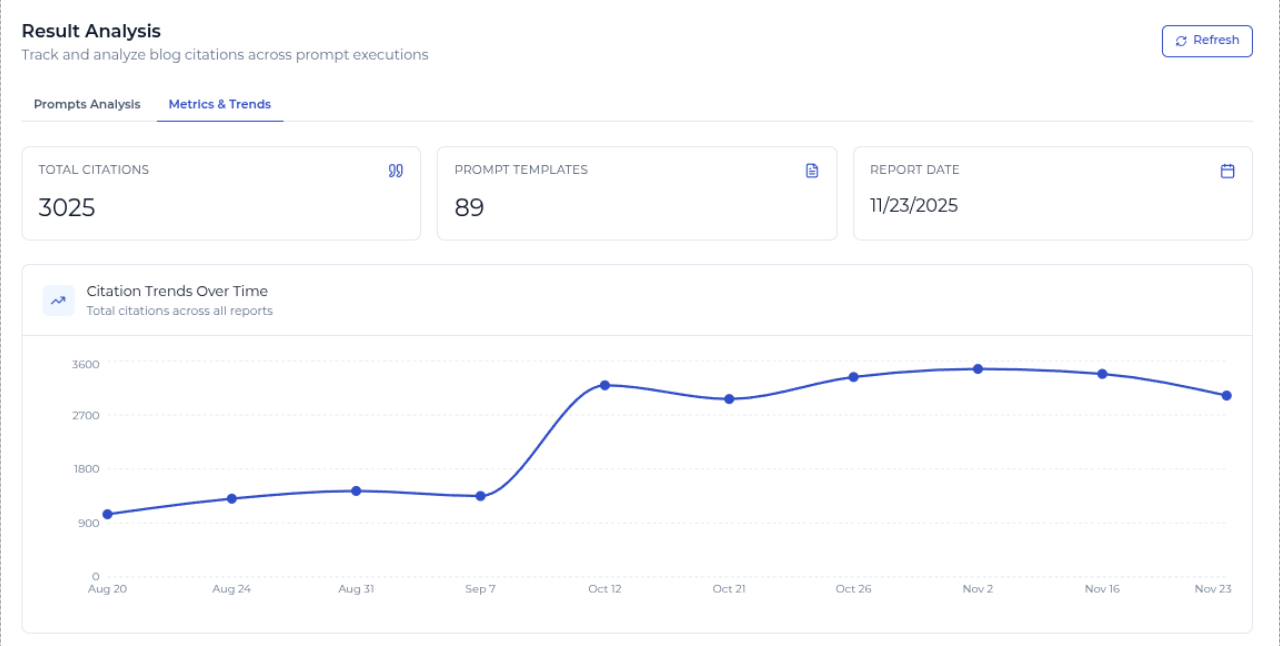
- Individual Blog Page (url follows https://app.relixir.ai/dashboard/blog_proposals/[id]) > KPI tab
- Shows Google metrics for that blog specifically
AI + Google Search Traffic
See on https://app.relixir.ai/dashboard/main > Traffic tab:
- AI Search Traffic broken down by model & page type (using GA4 integration)

- Google Traffic